Single • Bulk • Download
Background Remover for clean cutouts
Remove backgrounds from images in seconds. Great for product photos, profile pictures, thumbnails, presentations, and designs. Use single mode or bulk mode — then download the cutouts.
Single mode
Fast one-off cutouts
Bulk mode
Process multiple images
Download ready
Use in designs & listings
Best results checklist
Use sharp images
Higher resolution helps edges look clean.
Good lighting
Bright, even lighting improves separation.
Clear subject contrast
Subject should stand out from the background.
Avoid heavy blur
Motion blur makes edges harder to detect.
Tip: If edges look rough, try a cleaner source image or add contrast before removing the background.
How to remove a background
Open tool →1
Upload image(s)
Pick one image or multiple for bulk.
2
Remove background
Run the remover and preview the cutout.
3
Refine (optional)
If supported, tweak edges/threshold.
4
Download
Save PNG cutouts ready to use.
Pro tip: For product photos, use a plain background and a centered subject. You’ll get cleaner edges and fewer artifacts.
Use cases
Product listings
Clean cutouts for Shopify, Etsy, Amazon, eBay.
Profile photos
Remove clutter and keep a sharp subject.
Thumbnails
Create YouTube/Shorts thumbnails quickly.
Presentations
Drop clean images into slides without backgrounds.
Marketing
Use cutouts for ads, banners, and promos.
Bulk workflows
Process a folder of images in one go.
Before & After
Example outputs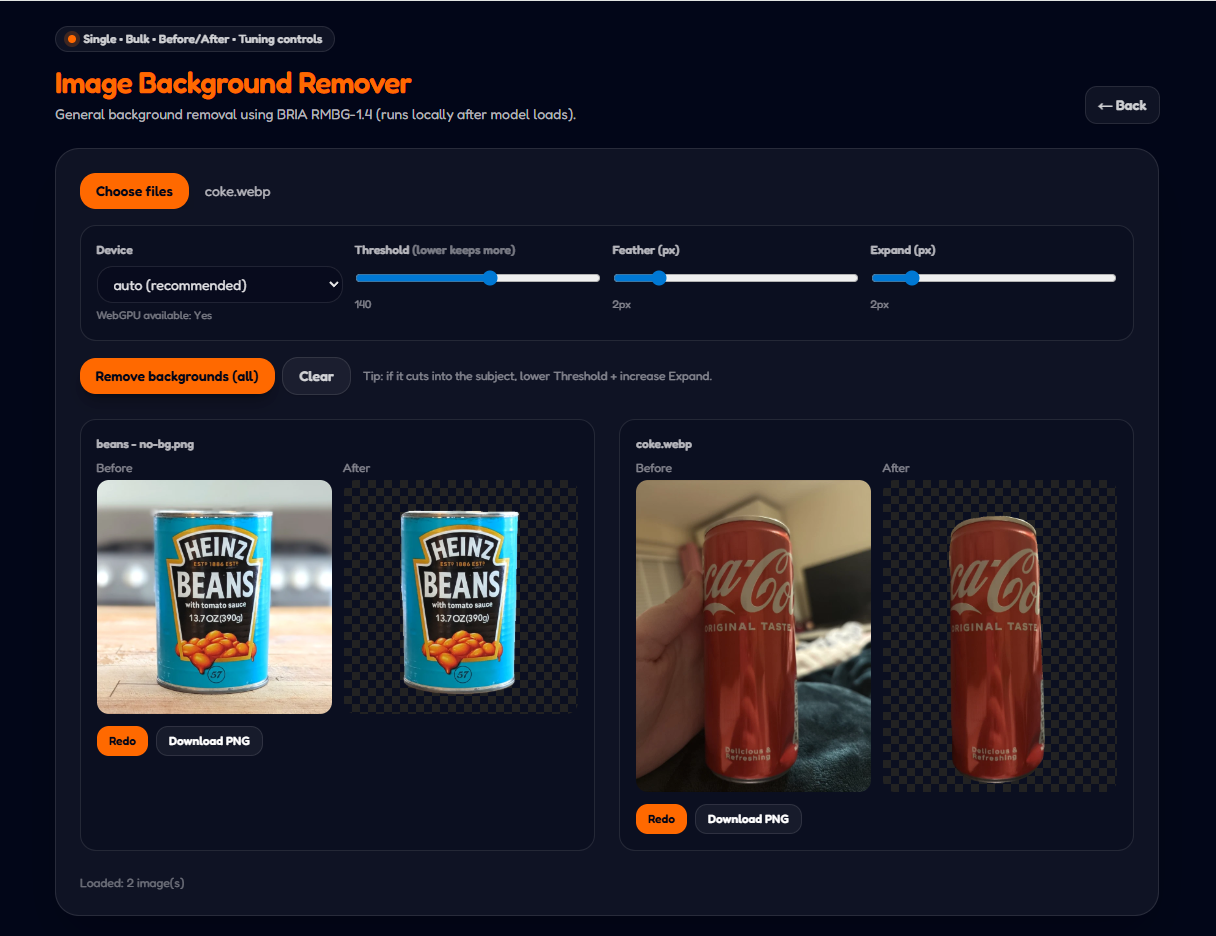
Tip: Use high-resolution images for cleaner edges.
FAQ
What does this background remover do?▼
It removes the background from images so you can download clean cutouts for designs, product listings, and thumbnails.
Does it work on people and products?▼
Yes. It works on people, products, pets, and many simple scenes. Clear contrast improves results.
Can I remove backgrounds in bulk?▼
Yes. You can process multiple images in one go using the bulk mode.
Will the quality drop?▼
The subject stays sharp, but very busy backgrounds or low-resolution images may produce rough edges.
Is my data private?▼
The goal is privacy-first processing. If any server processing is used, the page will clearly indicate it.
Basic Tools • Background removal utilityAccent: orange